Skip to content

Data entry clerk simulator game: 10-key and forms

Key invoices on a 10-key pad, fill alphanumeric order forms, spot transposed digits and catch duplicate payments.

A free data entry clerk simulator game online: 8 shifts that start easy, a new one every day, and an endless one. No download, no sign-up, on a phone or a computer.

Clock in: first shift

4 minutes. Every step explained. No sign-up.

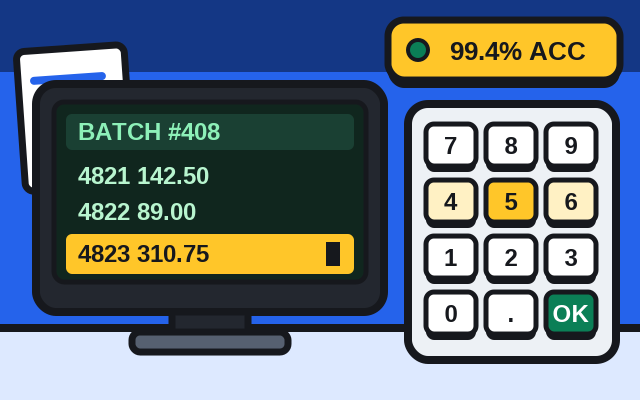
Data entry clerk desk: a ledger terminal showing invoice rows, a 10-key numeric keypad and a 99.4% accuracy badge
I'm Raymond Okafor. I'll show you how it's done.

Your schedule

8 shifts. Each adds one skill and keeps the old ones. Start anywhere; the marked one is next for you.

What you will do

A shift in the data entry clerk simulator
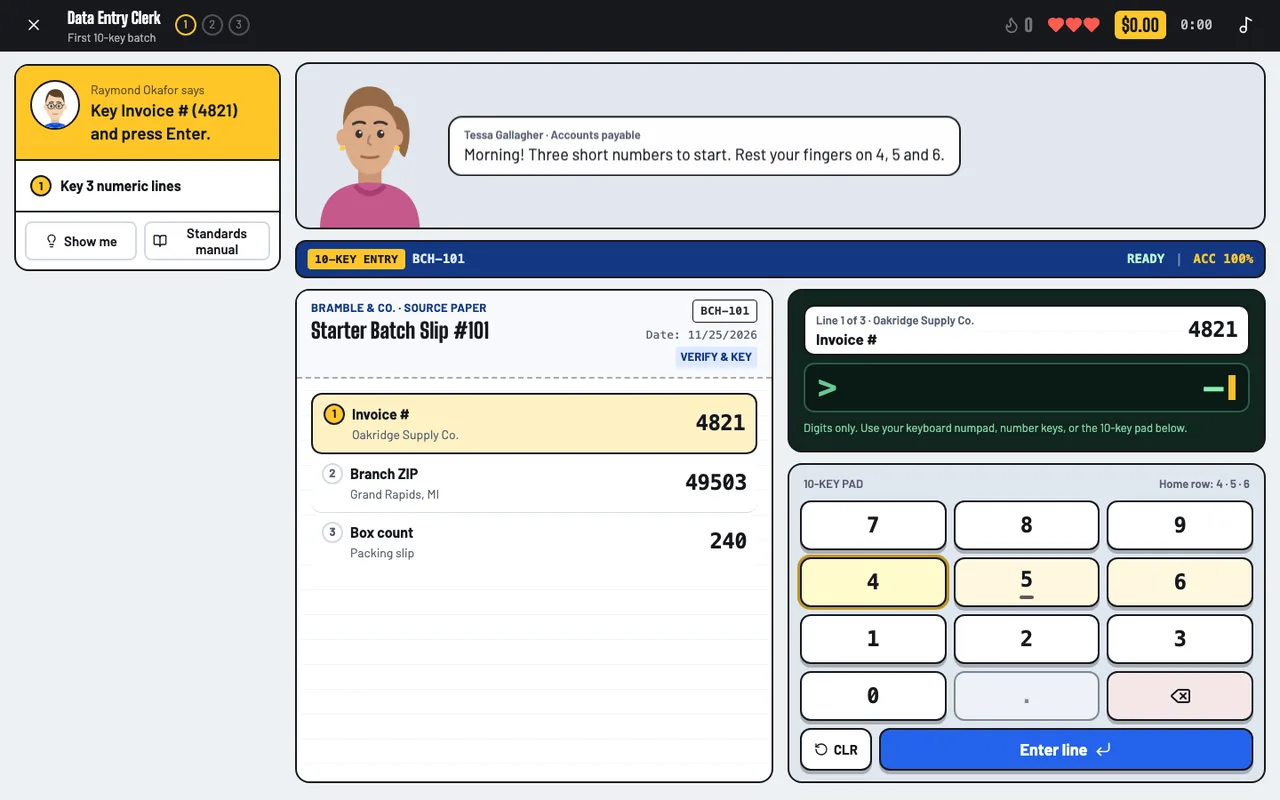
  • Key 10-key batches

    Enter invoice totals, ZIP codes, SKU numbers and freight weights with a live KPH and accuracy readout.

  • Type customer order cards

    Copy names, street addresses, apartment numbers and uppercase product codes cleanly into terminal forms.

  • Proofread records side by side

    Compare scanned paper slips against database rows to spot transposed digits, wrong state codes and typos.

  • Stop duplicate & 10x errors

    Cross-check payment queues and payroll sheets to hold duplicate invoices or shifted decimals before release.

Data Entry Clerk practice tools

Drills, calculators and reference lists for the skills of this job.

What a data entry clerk does

A data entry clerk (listed by O*NET as a data entry keyer) transfers information from paper slips, scanned invoices, shipping manifests and forms into company databases and spreadsheets. Even in offices that use document scanners, clerks verify what software misreads and keep financial and customer records accurate.

Speed matters, yet accuracy is what separates a reliable desk clerk from a costly backlog. Catching a single shifted decimal on a vendor invoice or holding a duplicate payroll entry saves hours of accounting cleanup later.

  • Key numeric batches—invoice totals, ZIP codes, weights and account IDs—using a 10-key keypad
  • Enter customer names, street addresses and order codes from paper or scanned forms
  • Compare typed database rows side by side against original source documents
  • Check accounts payable and payroll queues for duplicate records or 10x decimal shifts
  • Maintain steady KPH (keystrokes per hour) and high accuracy under end-of-week deadlines

What a shift is like

You log into your operations terminal, review the incoming queue from accounts payable, shipping, order intake or payroll, and work through batches in priority order. Quiet mornings are often spent entering invoice ledgers and cleaning address imports.

Right before carrier cutoffs or Friday payroll release, batches come in mixed and time-sensitive. Staying calm, checking decimals first and reading codes in short chunks lets you move fast without sacrificing accuracy.

Skills that make a strong data entry clerk

Touch-typing and 10-key familiarity are the foundation. Resting your right fingers on 4-5-6 lets you enter numbers without glancing down, raising your net KPH while keeping errors low.

Just as important is proofreading discipline: spotting transposed digits (like 4872 versus 4782), look-alike state codes (MI versus MN) and duplicate invoice IDs before anyone approves a payment.

  • Accurate 10-key entry with clean decimal and cent formatting
  • Alphanumeric typing across mixed names, addresses and SKU codes
  • Side-by-side proofreading to spot transposed digits and dropped zeros
  • Calm verification before releasing invoice or payroll batches

How to get started and what clerks earn

According to O*NET OnLine (43-9021.00), most data entry keyers start with a high school diploma or GED and receive short training on the job. Some public employers test typing or keying speed when they hire; the 10-key practice test lists what a few have posted.

In 2025, median pay for data entry keyers was $41,340 a year, or $19.88 an hour, across 131,800 U.S. jobs. While overall employment from 2025 to 2035 is projected to decline (-1% or lower) as automated capture grows, there are still about 7,700 job openings each year as clerks move into payroll, billing or operations roles.
Data Entry Clerk simulator: questions

Is this data entry clerk simulator free?

Yes. Every shift and all three practice tests run free in your browser on a phone, tablet or computer, with no download and no account required.

Do I need a physical 10-key numeric keypad to play?

No. A physical keyboard numpad or top number row works right out of the box, and the terminal also includes a large clickable on-screen 10-key keypad for laptops and phones.

What counts as a critical mistake in the simulator?

Small single-digit typos during keying are fixable—you see the exact character diff and re-enter the line. Approving a 10x decimal error (such as $12,500.00 instead of $1,250.00) or releasing a duplicate invoice or payroll payment costs a heart.

Will this help me prepare for a real data entry hiring test?

It practices what such tests ask for: keying numbers fast (KPH), copying forms exactly and checking records against a source. Every employer's test is different, so ask which one yours uses.

What education is needed to become a data entry clerk?

O*NET OnLine lists a high school diploma or GED with short on-the-job training for most data entry keyer roles, paired with reliable typing speed and accuracy.

What is KPH in data entry?

KPH stands for keystrokes per hour: keystrokes divided by minutes, times 60. Some employers state the keying speed they want in KPH; the 10-key practice test lists a few.

Try another job